



TLDR: 🫵🏼🫵🏼 You need to approve yourself on the club website after you sign up on Rubric. The club does not verify you.
Hey everyone,
As you may know from other Arc clubs at UNSW, Arc and Arc sport are moving to a new membership management system across the uni, called Rubric.
All UNSWOC members will need to sign up to Rubric, and get a club ""membership"" on Rubric. Once you do that, you will need to approve your Rubric membership at My Account – UNSW Outdoors Club. If the automatic form does not work, please contact the web officer.
Unfortunately, Rubric only supports fixed calendar year memberships, and therefore you will need to "renew" your membership on Rubric every January. This is entirely separate to the membership fee on your UNSWOC.org account (this website).
Some detailed steps with screenshots are below.
How to sign up to Rubric
1. You will get a big red popup like the below. Click "here" to fix this leads you to this page.

2. Go to https://campus.hellorubric.com/getstarted and create an account or log in. Ensure you associate with UNSW. If you are making a new account, it may take up to 24 hours to complete your signup.
3. Go to https://campus.hellorubric.com/?s=14119 and get an UNSWOC membership.


4. Fill in the required form. You will need to provide your Student Number (optional), UNSWOC username and UNSWOC email. You can find your UNSWOC username and email at this link.


5. Your account now needs to be APPROVED. This is done by you 🫵.
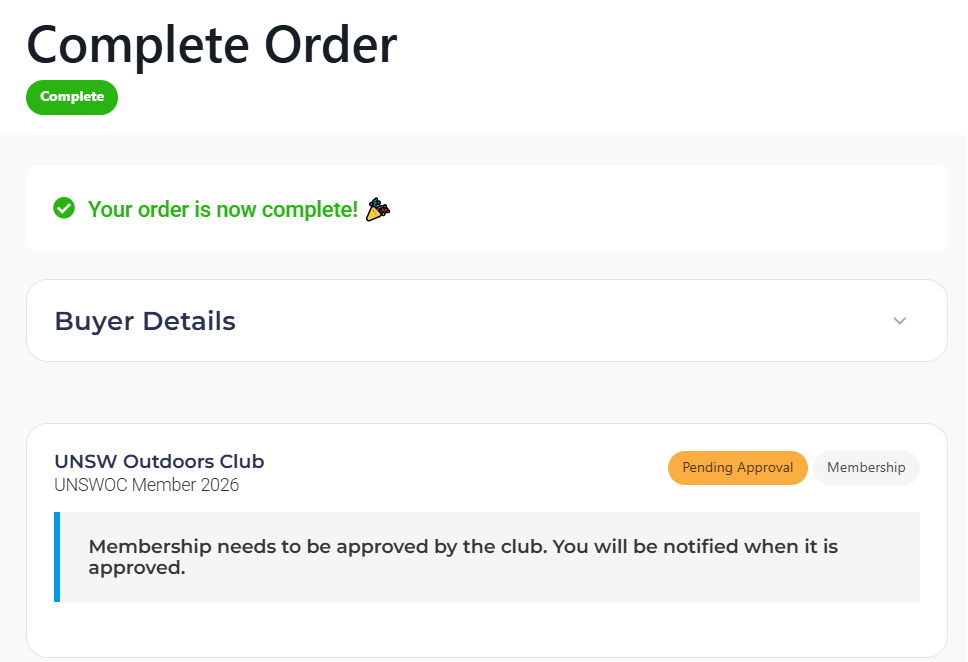
6. Find your Rubric Membership ID. This will be in an email confirmation you recieve.
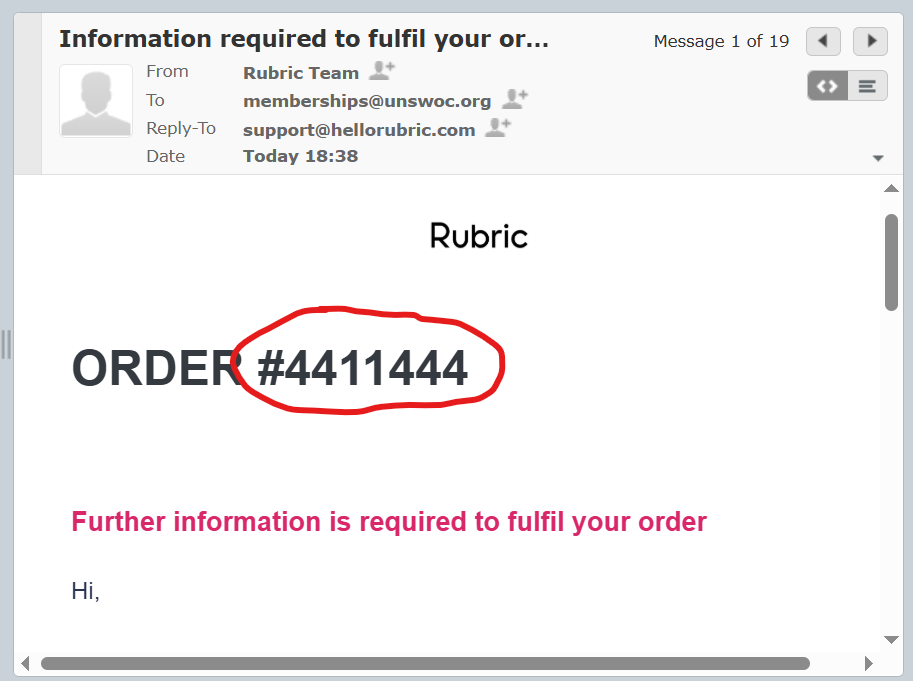
It may take up to 48 hours to recieve this confirmation email. If you still do not recieve this email, you can go to your Rubric Profile > Memberships and click the invoice for the UNSWOC membership. Your Membership ID will be on the right.
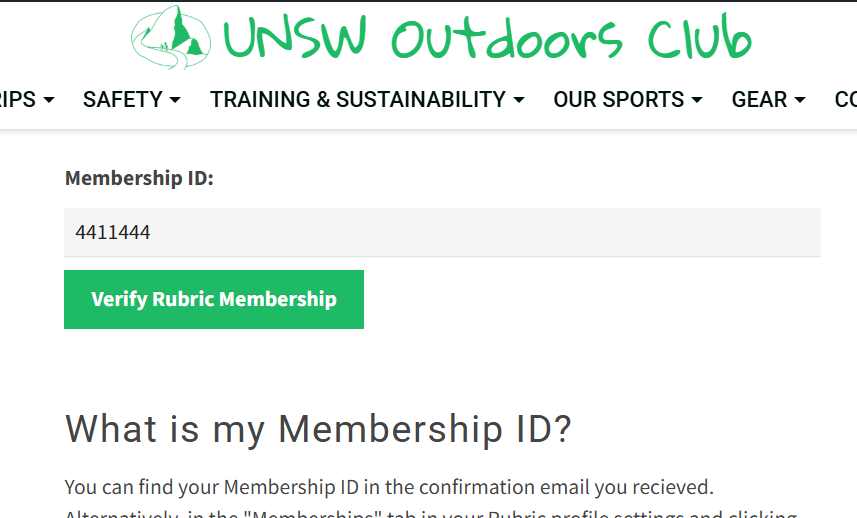
7. Use this Membership ID to fill in the form at My Account – UNSW Outdoors Club. That's it 🥳🥳
Thanks a lot!
Sudarshan